Free Image Resizer Online – Resize large images quickly
Resize your wrong sized images with our free image resizer tool. No download or signup is required. Just upload your image by selecting from your device and hit “Resize Image” button. Create content for your own website or a social media post. The tool also shows the preview of your image, before you download. This tool works on all devices like computer or mobile phones. The image resizer is free to use, and gives high quality outputs.
Our image resizer tool, if used in combination with Hypic MOD APK, creates stunning photos. To download the latest version of Hypic MOD APK, visit our homepage
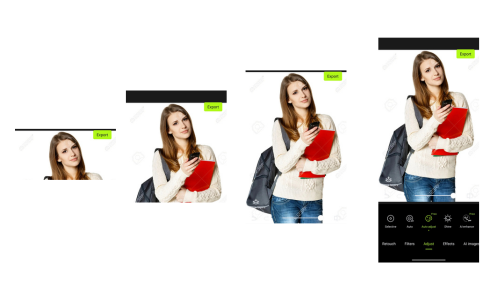
Related Image Tools
We have a variety of Online tools
Download Hypic photo editing app
How Good is Our Free Image Resizer Tool?
Upload your odd sized image to our image resizer tool and get a proper resolution image in return.
Resize all formats of images with just a click
- Supported Formats. Resize any type of images like JPG, PNG and WebP
- Quality of Output. Output meets your pixel dimensions requirements
- Aspect Ratio. Aspect ratio is well maintained throughout the process
- Social Media Content. Resize according to social media platforms like YouTube, Facebook and Instagram
- E-Commerce. Resize images of products for your online store
- Watermarks. The output does not contain any watermarks
How to Resize an Image using the Image Resizer Tool
Step 1. Drag & drop your image to the upload box or simply click in the upload box. The tool will show image details and further instructions
Step 2. Enter desired width and height in input fields
Step 3. Enter the desired quality of the output
Step 4. Click “Resize Image”. The tool will show a preview of the output
Step 5. Click “Download Resized Image”
Step 6. Check your download folder to find the result
The tool works directly in your browser, so your image stays private.
Best scenario to use an Image Resizer
The image resizer tool works best when:
- Resize pictures size for websites that demand a specific image size
- Reduce image size to send as an attachment in an email
- Create social media content
- Developing an app that requires specific image sizes
- Achieve faster website loading
- Resize images for different operating systems like Android and iPhone
FAQs about Image Resizer Tool
Following are some users questions, answered briefly
What if I entered wrong dimensions?
You can change the dimensions before clicking “Resize Image” button. But if you have already resized your image, refresh the page and repeat the process again from uploading step. If you have downloaded the image with wrong dimensions, upload the image again and put right dimensions to get the desired results
How about resizing an image multiple times?
Normally you don’t have to resize the same image again and again. But if you want same image to resize to more than one dimensions, the tool handles it smoothly
Does this tool resize images in bulk?
No, this tool does not resize multiple images at a time. You have to repeat the process for each image separately
What if I close my browser after uploading?
If you mistakenly or intentionally closed your browser after uploading an image, the image will be lost. You will need to upload the image again every time you open the browser
Will my file name change after download?
No, the file name remains the same after resizing and downloading
What is the maximum file size, I can upload?
You can upload even larger files but maximum 10MB file size is recommended
Conclusion
If you are thinking of creating social media content or setting up a profile on a website and you need a specific size image, the image resizer tool has got your back. Resize as many images online as you wish. This tool is free to use and does not require any subscription or signup. No matter which device you are using, the tool is compatible with almost every device type.
This tool supports all formats of images and maintains the quality and aspect ratio in the output. The output does not contain any ads or watermarks and is saved to your device the moment you hit download.
When your image is ready after resizing, jump into further editing with Hypic MOD APK.
Download Hypic AI art from our homepage